From 2026, selected SOLIDWORKS product names have been refined to improve clarity and consistency across the portfolio, without changing functionality or licensing.
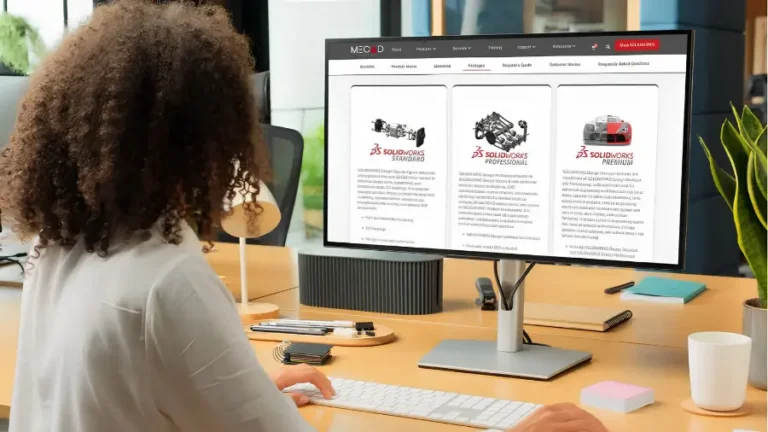
The main SOLIDWORKS CAD offerings are now labelled as SOLIDWORKS Design, making it immediately clear which packages are focused on mechanical design and 3D CAD.
Key tools such as SOLIDWORKS Simulation, CAM, Electrical, PDM, Manage, Motion, and Inspection remain unchanged, ensuring continuity for existing users.
Desktop packages and cloud-connected roles now follow a more consistent naming structure, making it easier to understand how different SOLIDWORKS offerings relate to one another.
Day-to-day workflows stay exactly the same, while clearer naming makes product selection, renewals, and future planning simpler and more intuitive.

MECAD Systems
If you work with SOLIDWORKS every day, product names often fade into the background. You open the software, design your parts, and get on with the job. When names change, however, it can create momentary uncertainty – especially for newer users or teams managing licences across multiple roles.
From 2026, SOLIDWORKS product naming has been updated to bring greater clarity and consistency across the portfolio. These changes are focused on how products are named and positioned, not on how they function. Your workflows, features, and licensing entitlements remain exactly as they are today.
At MECAD Systems, our role is to ensure that these changes are clear, easy to understand, and easy to navigate – whether you are an experienced SOLIDWORKS user or just getting started.
Over time, the SOLIDWORKS portfolio has grown well beyond standalone desktop CAD. Today, it includes design, simulation, manufacturing, electrical, governance, and cloud-connected services. As this ecosystem expanded, some product names became less intuitive, particularly where desktop tools and cloud-enabled offerings overlapped.
The 2026 naming update addresses this by making product purposes clearer at a glance. It simplifies conversations around licensing, helps new users identify the right tools more easily, and aligns desktop and platform offerings under a more consistent naming structure. The intent is not reinvention – it is clarity.
The most noticeable change affects the core CAD packages. From 2026, several packages previously labelled simply as “SOLIDWORKS” are now branded as SOLIDWORKS Design. This change makes the role of these tools immediately clear: they are focused on mechanical design and 3D CAD.
| Previous Name | New Name |
| SOLIDWORKS Standard with Cloud Services | SOLIDWORKS Design Standard with Cloud Services |
| SOLIDWORKS Professional with Cloud Services | SOLIDWORKS Design Professional with Cloud Services |
| SOLIDWORKS Premium with Cloud Services | SOLIDWORKS Design Premium with Cloud Services |
In practical terms, this means that when you see “SOLIDWORKS Design” on a quote, renewal, or product description, you are still looking at the familiar SOLIDWORKS CAD environment – now labelled in a way that is clearer and more descriptive.
While the design packages receive updated naming, many other SOLIDWORKS products remain exactly as they are today. This stability is important. It reinforces that the 2026 update is not a broad rebranding exercise, but a targeted refinement where clearer naming was needed.
Alongside desktop naming, SOLIDWORKS has aligned certain platform and value-offer names to match the updated “SOLIDWORKS Design” structure. This is particularly relevant for organisations working across desktop and cloud-connected environments.
| Previous Name | New Name |
| 3DEXPERIENCE SOLIDWORKS Standard | SOLIDWORKS Design Standard |
| 3DEXPERIENCE SOLIDWORKS Professional | SOLIDWORKS Design Professional |
| 3DEXPERIENCE SOLIDWORKS Premium | SOLIDWORKS Design Premium |
Some role-based offerings have also been renamed to align more clearly with the SOLIDWORKS portfolio.
| Previous Name | New Name |
| 3DEXPERIENCE SOLIDWORKS Electrical 3D | SOLIDWORKS Electrical 3D |
| 3DEXPERIENCE Electrical Schematic Design | SOLIDWORKS Electrical Schematic Professional |
| Previous Name | New Name |
| Simulation Designer | SOLIDWORKS Simulation Designer |
| Simulation Engineer | SOLIDWORKS Simulation Engineer |
| Simulation Analyst | SOLIDWORKS Simulation Analyst |
| Simulation Multiphysics | SOLIDWORKS Simulation Multiphysics |
| Previous Name | New Name |
| Cloud PLM Collab Pack | SOLIDWORKS PLM Collab Pack |
| Cloud PLM Standard | SOLIDWORKS PLM Standard |
| Cloud PLM Professional | SOLIDWORKS PLM Professional |
| Milling and Turning Premium | SOLIDWORKS Milling + Turning Premium |
These updates are primarily about naming clarity, particularly when comparing roles across design, simulation, manufacturing, and data management.
For most users, the impact is minimal. You continue working in SOLIDWORKS exactly as you do today, using the same tools, files, and workflows. The main difference is how products are referenced in commercial and informational contexts such as quotations, renewals, and product documentation.
For newer users, the updated naming removes guesswork. “SOLIDWORKS Design” clearly identifies the CAD-focused packages, while other product names remain reserved for simulation, manufacturing, electrical design, and governance. This makes it easier to choose the right tools without needing deep historical knowledge of the portfolio.
As an authorised SOLIDWORKS reseller, MECAD Systems works closely with customers to ensure clarity around product options, licensing, and long-term planning.
Name changes can raise questions, but they also present an opportunity to simplify how SOLIDWORKS is understood and positioned within an organisation.
If you would like assistance understanding how the new SOLIDWORKS names apply to your current licences or future requirements, speak to the MECAD Systems team. We are always happy to provide clarity and guidance.
Share this post: