
 Trusted by millions of engineers and designers worldwide
SOLIDWORKS Simulation helps engineers validate and optimise designs using integrated analysis tools grounded in Finite Element Analysis (FEA), directly within the SOLIDWORKS environment. It enables teams to test real-world performance earlier, reduce costly design rework, and improve confidence before manufacturing and procurement decisions are locked in.
SOLIDWORKS Simulation is an integrated portfolio of structural analysis tools that allows engineers to predict how parts and assemblies will behave under real-world conditions such as loads, restraints, temperature effects, and motion-driven forces. The tools operate inside SOLIDWORKS, allowing design teams to validate performance without exporting geometry or rebuilding models in separate analysis software.
The Simulation portfolio supports a range of study types, from everyday structural checks to more advanced non-linear and dynamic analysis, depending on the package selected. Engineers can iterate faster by running “what-if” scenarios during design, then refining geometry, materials, and assembly behaviour to meet safety, durability, and performance requirements.
Key capabilities include:
Linear static structural analysis for parts and assemblies
Non-linear and dynamic analysis options (package dependent)
Thermal and thermal-stress studies (package dependent)
Frequency and buckling checks (package dependent)
Fatigue and lifecycle estimation (package dependent)
SOLIDWORKS Simulation supports better engineering decisions by turning performance questions into measurable results early in development. Teams can validate design intent sooner, reduce reliance on physical prototypes, and improve product quality with fewer late-stage surprises.
SOLIDWORKS Simulation includes a practical set of study types to validate real-world performance and support engineering decisions through the product lifecycle. Capability depth depends on the Simulation package selected.
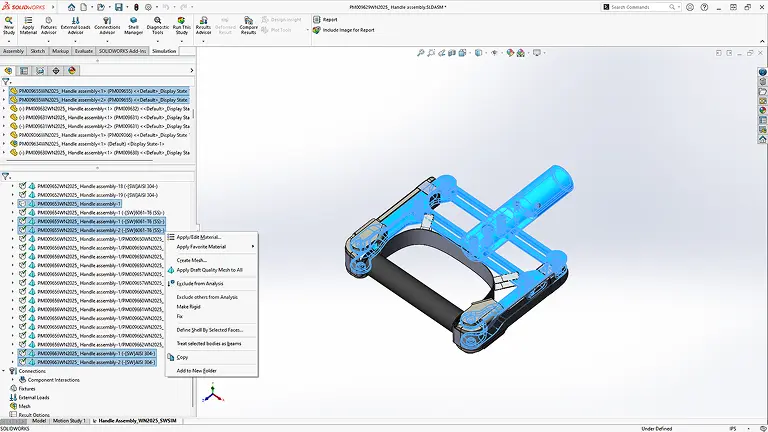
Validate structural performance under applied loads and restraints using linear static analysis, then review stress distribution, displacement, and factor of safety. This capability forms the everyday foundation of design validation for many engineering teams.
Key points:
Stress, strain, displacement, and factor of safety output
Assembly-level evaluation with realistic connections and contacts (as needed)
Design iteration support through result comparison and reporting
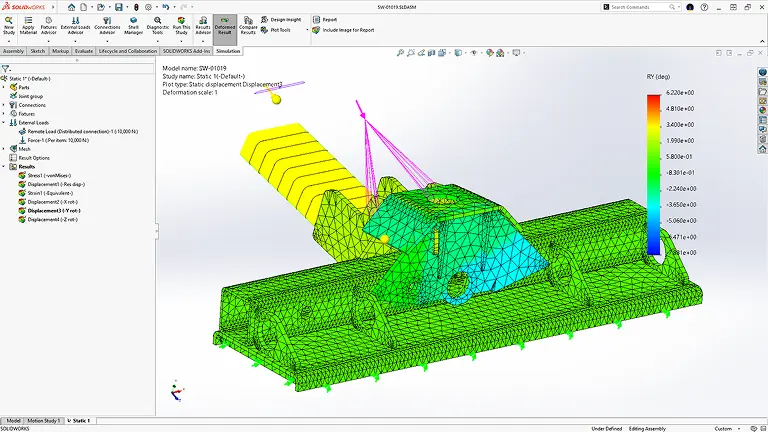
Thermal studies help engineers understand how heat flows through a design and how temperature changes can influence performance. Thermal-stress evaluation supports scenarios where expansion, contraction, or temperature gradients may contribute to stress and distortion.
Key points:
Steady-state and transient thermal analysis options
Thermal effects used to inform stress behaviour
Better decisions for heat-sensitive components and assemblies
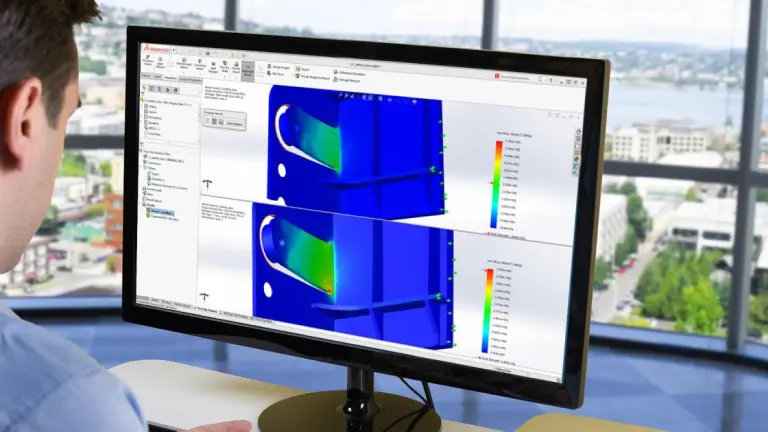
Frequency studies help identify natural modes of vibration so designs can be kept away from operating excitation ranges. Buckling studies support stability checks for slender structures and compression-dominant designs where instability can become the limiting factor.
Key points:
Resonant frequency (modal) studies
Linear buckling analysis
Earlier identification of vibration and stability risks
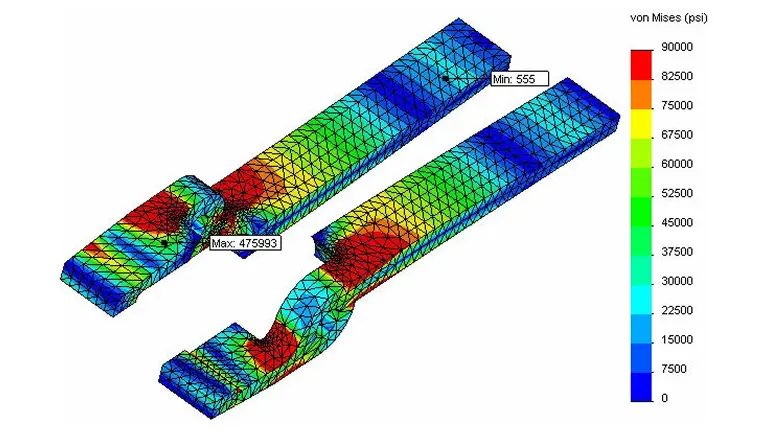
Fatigue studies support lifecycle estimation for repeated loading scenarios, which helps teams reduce long-term failure risk. Certain packages also include studies such as drop test, pressure vessel checks, and other advanced tools suited to specialised requirements and certification-driven workflows.
Key points:
High-cycle fatigue estimation based on stress results
Drop test studies for impact scenarios (package dependent)
Pressure vessel and additional study types (package dependent)
SOLIDWORKS Simulation is available in multiple packages to match different engineering requirements, from core structural validation through to advanced study types and productivity tools. Package selection typically depends on the failure modes you need to evaluate, the complexity of your load cases, and the depth of reporting required for internal sign-off or certification processes.
See how engineering teams use SOLIDWORKS Simulation to validate performance earlier, reduce design risk, and improve product reliability. Our SOLIDWORKS Customer stories highlight practical applications across industries, showing how simulation-driven decisions support better outcomes from concept through to production.


If you are evaluating SOLIDWORKS Simulation for engineering analysis and product validation, MECAD Systems can help you identify the right simulation package and implementation strategy for your organisation.
Our specialists will work with you to understand your product development process, engineering challenges, and analysis requirements to ensure you implement the most effective simulation solution.
SOLIDWORKS Simulation is an advanced finite element analysis (FEA) tool integrated within SOLIDWORKS 3D CAD, allowing engineers and designers to test and validate product performance before manufacturing. By applying forces, pressure, temperature, and motion to 3D models, users can simulate real-world conditions to identify weaknesses, optimise materials, and improve product durability. This reduces design errors, lowers costs, and speeds up product development by eliminating the need for multiple physical prototypes.
SOLIDWORKS Simulation provides a comprehensive range of analysis tools, including:
These capabilities allow engineers to make informed design decisions, ensuring products meet performance, safety, and industry standards.
Traditional prototyping can be expensive and time-consuming, requiring multiple iterations before a final design is approved. SOLIDWORKS Simulation enables virtual testing, allowing engineers to:
By integrating simulation into the design workflow, companies can bring products to market faster and more cost-effectively.
SOLIDWORKS Simulation is ideal for:
Whether you’re designing small components or complex assemblies, SOLIDWORKS Simulation provides the tools to make better, data-driven decisions.
SOLIDWORKS Simulation uses proven FEA solvers to deliver highly accurate results when properly configured. Accuracy depends on:
For critical applications, engineers can validate results using experimental testing, ensuring compliance with engineering and safety standards.
SOLIDWORKS Simulation is available through MECAD Systems, an authorised SOLIDWORKS reseller. Our team provides:
Contact MECAD Systems today to learn more about SOLIDWORKS Simulation and how it can transform your product development.
SOLIDWORKS Simulation provides powerful engineering analysis tools that allow teams to test, validate, and optimise product performance before manufacturing. Whether you are evaluating structural behaviour, thermal performance, or product durability, SOLIDWORKS Simulation helps engineers make informed design decisions while reducing costly physical prototypes.