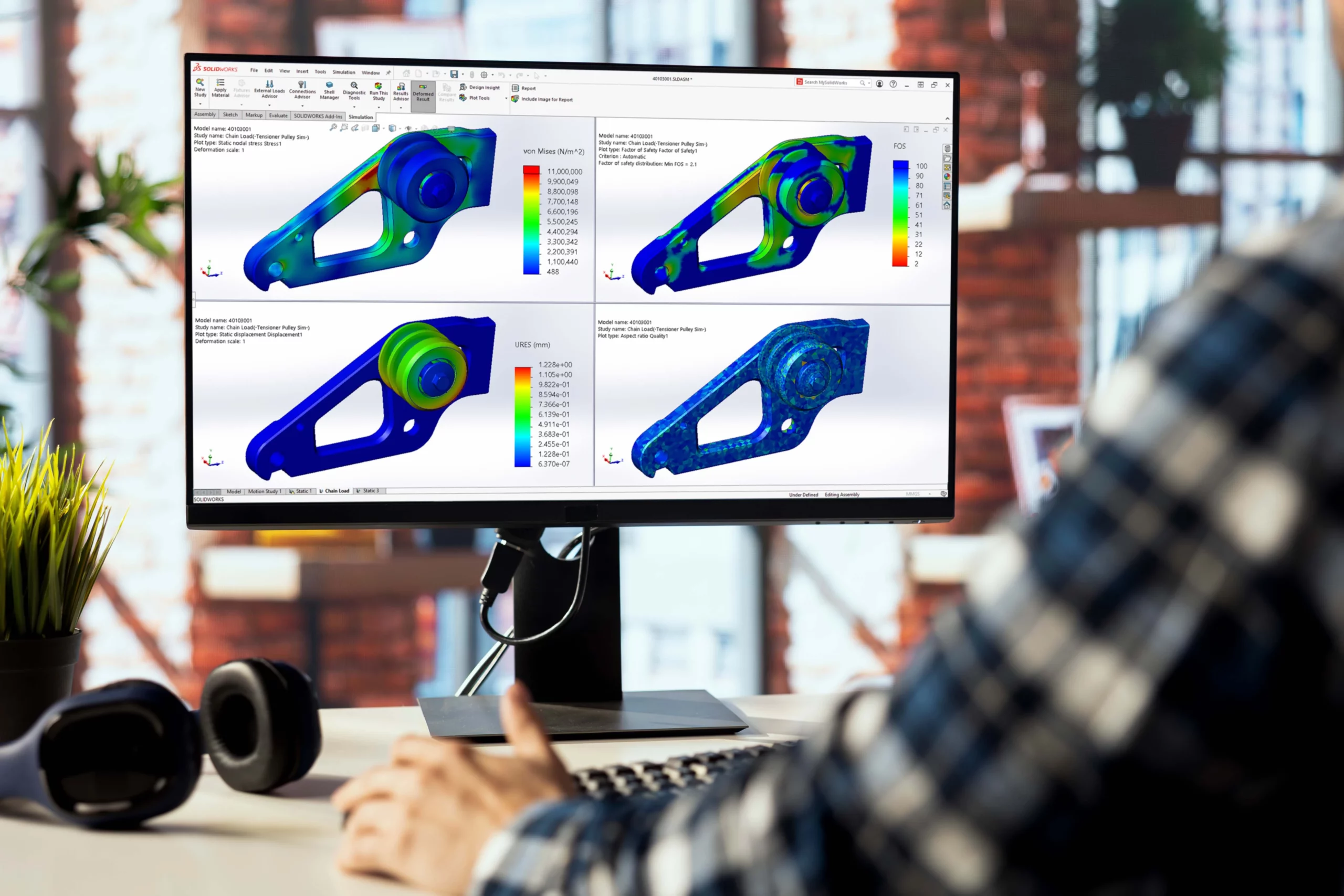
A member can sit below yield stress and still collapse suddenly - a static study with a passing factor of safety will not catch it.
A BLF below 1.0 means the structure is already at risk; above 1.0 it acts as a factor of safety against buckling.
The solver returns reversed-load eigenvalues that most real-world studies don't need, making the output feel noisy and easy to misread.
One tick removes the negative modes so the first result is the lowest real risk - cleaner review, faster decisions, fewer misinterpretations.
A conveyor gantry in KZN where a R200 stiffener fixed a localised buckle the static study missed, and thin-walled marine tanks in Cape Town where vacuum cleaning loads push shells into a buckling regime static analysis cannot detect.

Applications Engineer BSc in Mechanical Engineering
In nearly every structural simulation review with South African customers, the same study type is missing: buckling. Static stress is run, factor of safety is checked, the part passes. The model is signed off and moves into manufacturing. But for tall, slender, or thin-walled structures, a static analysis on its own can be dangerously incomplete. Long before a member yields, it can buckle, and buckling failures are sudden, catastrophic, and rarely forgiving.
This is not a SOLIDWORKS Simulation problem. It is a habit problem. Buckling studies have been part of SOLIDWORKS Simulation Professional for years, but see them skipped consistently, often because the results were perceived as confusing or noisy. The 2026 release changes that perception with one small but practical enhancement, and it is worth a closer look if you design anything that bends, lifts, supports, or spans.
Buckling is a stability failure, not a strength failure. A column under axial compression can sit comfortably below its yield stress and still collapse the moment a critical load is reached. This is governed by geometry and stiffness, not material strength alone, which means a static stress plot showing low Von Mises values can lull an engineer into a false sense of security.
The metric that matters in a buckling study is the Buckling Load Factor (BLF). According to Dassault Systèmes’ published reference, the BLF is the ratio of the buckling load to the applied load, and it functions as a factor of safety against buckling. A BLF of 3.2 on a 100 N applied load means buckling is predicted at roughly 320 N. A BLF below 1.0 means your structure is already in trouble. (Source: SOLIDWORKS Help, Buckling Load Factor reference.)
Where things have historically got messy is the negative side of the result list. SOLIDWORKS Simulation calculates eigenvalues for multiple buckling modes, and depending on how the load is oriented, the solver can return negative load factors. These represent buckling that would only occur if the load were reversed, useful in some niche cases, but in most real-world studies they are noise that distracts from the modes that threaten the structure.
In SOLIDWORKS Simulation 2026, the Buckling Study Properties dialog includes a new option: “Extract positive buckling factors only”. When ticked, the solver switches to its Automatic mode and reports only the positive buckling factors and their associated modes. Negative modes are filtered out entirely. (Reference: SOLIDWORKS 2026 What’s New, SOLIDWORKS Simulation chapter.)
On its face this looks like a minor housekeeping change. In practice it has three effects worth noting:
It is also worth flagging two other 2026 enhancements that work hand-in-hand with buckling studies, even if they are not strictly part of the buckling solver:
South Africa’s mix of mining infrastructure, ageing port equipment, and increasingly cost-pressured fabrication shops makes buckling a recurring issue, even if it is rarely named as such. A few illustrative scenarios encountered in conversations with local engineers:
These are typical of the kind of work we see weekly. The pattern is consistent: the buckling study takes ten minutes longer to set up than the static one, and it changes the design conversation entirely.
If you have an active SOLIDWORKS Simulation Professional or Premium licence and you are not running buckling studies on slender or thin-walled structures, the gap is in your workflow, not in the software. Three concrete next steps:
Buckling analysis is not exotic. It is the second study you should run on any structure that is taller than it is wide, and SOLIDWORKS Simulation 2026 has just made the results easier to trust.
Share this post: