SOLIDWORKS 2026 improves how teams control files, approvals, revisions, and shared product data across day-to-day engineering work.
New maturity routing, approval automation, and drawing stamping help teams track status changes more clearly and manage governance more consistently.
Excel design tables, cut lists, enterprise item numbers, and multi-valuated attribute mapping updates help reduce errors and improve data consistency on the 3DEXPERIENCE platform.
Unified date formatting and update-to-latest style improvements help users work with clearer, more standardised information across teams and regions.
SOLIDWORKS 2026 continues to support more structured file handling through PDM-related enhancements and the 3DEXPERIENCE Transition task for updating content compatibility.
These improvements help engineering teams reduce duplication, strengthen traceability, and keep the right information connected to the right design work.

MECAD Systems
For many teams, data management is the difference between a smooth engineering workflow and a frustrating one. A strong design can still run into problems if the wrong file is opened, an approval is missed, a revision gets duplicated, or supporting data is stored in too many disconnected places. That is why data management matters so much in SOLIDWORKS. It is not just about storing files. It is about making sure the right people are working with the right information at the right time.
SOLIDWORKS 2026 brings several meaningful updates in this area. The release improves how users manage approvals, maturity states, design tables, cut lists, mapped attributes, and platform-based file structure. It also introduces updates that help reduce duplication, improve consistency, and strengthen traceability inside connected SOLIDWORKS and 3DEXPERIENCE workflows. Rather than treating data management as an admin-only topic, SOLIDWORKS 2026 positions it as a practical part of everyday engineering work.
For experienced users, that means more control and better workflow governance. For newer users, it means less confusion and a clearer path through file handling, status control, and shared design information.
It is easy to focus on visible CAD tools such as modelling, assemblies, or drawings, but most engineering teams eventually discover that design speed alone is not enough. Projects slow down when revision control is weak, approvals are handled informally, or supporting data such as Excel design tables and cut lists are not kept aligned with the latest design state.
That is exactly why the SOLIDWORKS 2026 data management updates matter. This release puts stronger focus on change management, traceability, approval workflows, platform-managed design tables, and production-aligned cut list handling. As engineering teams grow, the value of this kind of structure becomes much more obvious. The bigger the team and the more complex the workflow, the more important it becomes to build control into the system instead of relying on memory, manual file naming, or disconnected admin processes.
One of the most practical data management enhancements in SOLIDWORKS 2026 is Drawing Stamping With Maturity Status Information. Drawings can now reflect real-time maturity-related information more clearly, and they can include details such as user names and email addresses to improve traceability and make stakeholder communication easier.
This matters because drawings are often one of the most widely shared outputs in an engineering process. When a drawing clearly reflects its maturity status and shows who is associated with it, the document becomes more informative and easier to trust. Instead of relying on side conversations or external tracking methods, teams can see more useful status information inside the drawing itself.
That improves communication, but it also improves accountability. When status and ownership details are clearer, teams are less likely to use outdated information or misread where a design stands in the release process.
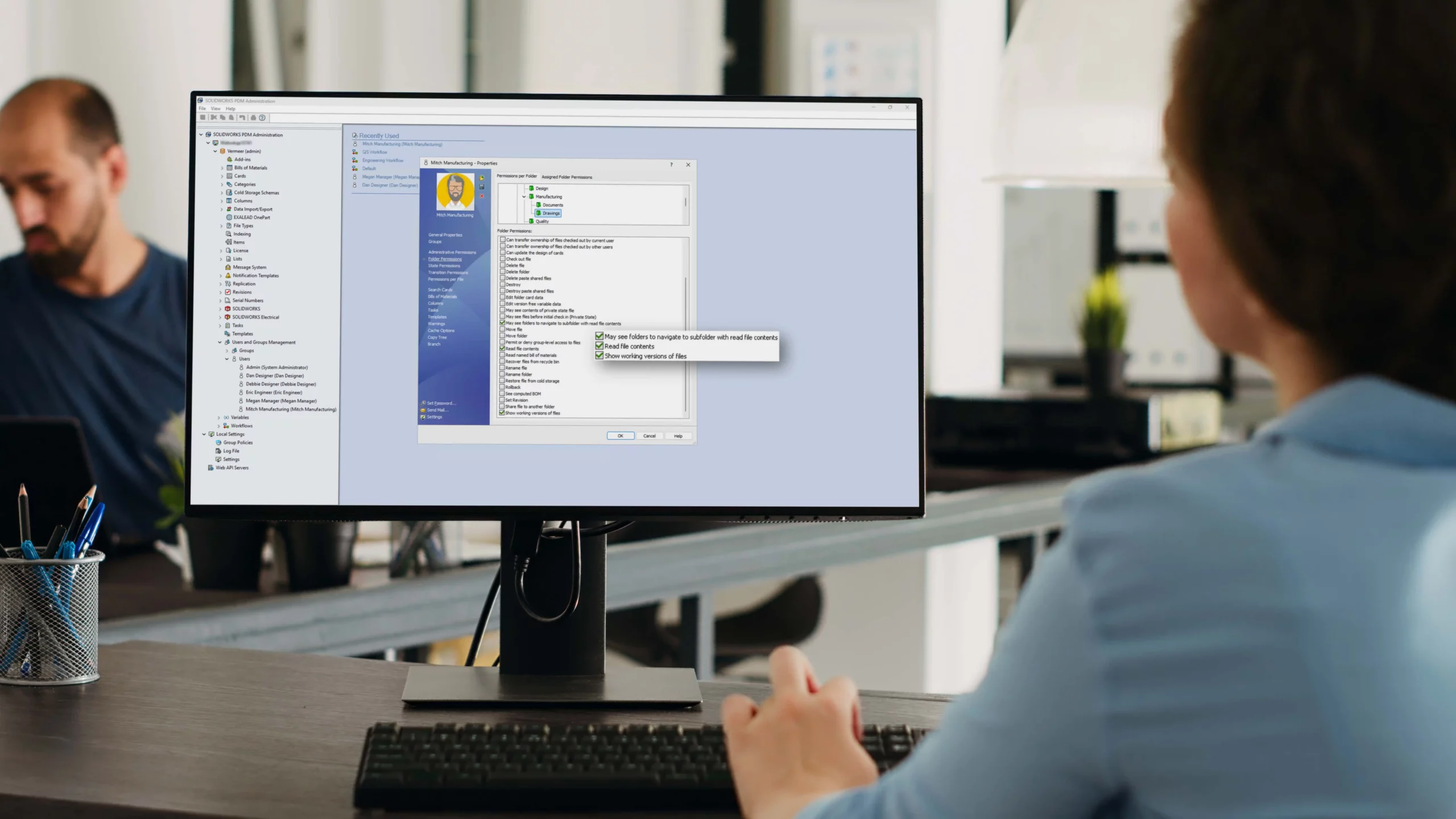
Another major update is Enterprise Document Maturity Routing and Approval. Predefined route templates can now be triggered during document maturity state changes so that required approvals are initiated, tracked, and made easier to audit.
This is a strong improvement because approval processes are often one of the weakest points in a growing engineering workflow. In many businesses, approvals still depend too heavily on emails, verbal follow-ups, or someone simply remembering what comes next. That approach may work on a small scale, but it becomes risky as design complexity and team size increase.
SOLIDWORKS 2026 helps move that process into a more controlled environment. By tying maturity changes to predefined approval routes, the system reduces manual oversight and makes the process easier to manage. That is particularly valuable for teams that need stronger process control, formal release stages, or better internal governance.
Another important update in SOLIDWORKS 2026 is Excel File Management for Design Tables. Excel files used in SOLIDWORKS Design Tables can now be managed directly on the 3DEXPERIENCE platform, which helps reduce version errors and improve consistency.
This is especially useful because design tables often sit at the centre of configurable model logic. When those Excel files live outside a controlled environment, teams can run into familiar problems. Someone edits the wrong file, a local copy becomes outdated, or one user makes changes that others cannot see immediately. Once that happens, the design logic itself becomes harder to trust.
Managing those files directly on the platform supports better data integrity. It keeps design automation closer to the managed product data environment and helps ensure that users are working from the correct source. That makes configuration-heavy workflows more reliable and easier to scale.
SOLIDWORKS 2026 also introduces stronger support for cut lists on the 3DEXPERIENCE platform. This helps users manage cut lists more effectively, visualise them more clearly, and create a smoother connection between engineering BOM and manufacturing BOM information.
This matters because cut lists are not just a modelling convenience. In many fabrication and manufacturing workflows, they are a key part of how product information moves downstream. When cut list data is easier to manage within the connected platform environment, it becomes more useful for production-related workflows and easier to align with broader product structure information.
That makes this enhancement especially relevant for teams that need stronger continuity between design intent and manufacturing preparation. It is another example of SOLIDWORKS 2026 treating data management as a workflow issue, not just a storage issue.
SOLIDWORKS 2026 also adds an Enterprise Item Number tab for users creating new parts or assemblies on the 3DEXPERIENCE platform. This gives teams an additional place to enter an Enterprise Item Number during the creation process.
At first glance, that may sound like a small interface update, but it has real value in controlled product data environments. Entering key identification information at the start of the process helps reduce the chance of incomplete data and supports cleaner item creation from the beginning. That becomes more important as teams grow and as data quality expectations increase.
It also fits the broader theme of the release. SOLIDWORKS 2026 is not only improving how files are reviewed and approved later. It is also improving how structured data is created earlier in the workflow.
Another data-focused improvement in SOLIDWORKS 2026 is Improved Handling of Multi-Valuated Attribute Mappings. Administrators can now identify and manage older CAD-to-platform mappings linked to multi-valuated attributes more clearly, and users receive warnings during the save process when incompatible mappings exist.
This is an important enhancement for administrators and teams working in structured data environments. Property mappings may not be visible to every user every day, but when they are wrong, the effect can be serious. Incompatible mappings can lead to data conflicts, information loss, or unclear property behaviour across systems. By improving visibility around these mapping issues and warning users when conflicts exist, SOLIDWORKS 2026 helps administrators maintain cleaner and more dependable data.
This is exactly the kind of behind-the-scenes improvement that may not feel dramatic, yet can prevent much larger workflow problems later.
Unified date formatting is also part of the SOLIDWORKS 2026 data management story, with this specific standardisation arriving in 2026 SP1/FD01. This feature applies a unified date format across SOLIDWORKS Design and 3DEXPERIENCE applications, helping date-related properties display in a more standardised way.
This may sound like a small standards update, but it solves a real problem. Date formats are one of the easiest ways for international or multi-region teams to misread information. A format that looks obvious in one location may be interpreted differently in another. Standardising date presentation helps reduce that risk and keeps platform-driven data easier to understand across users and regions.
For businesses working across teams, branches, or clients in different locations, this is a very practical quality-of-information improvement. The important timing point is that users should treat unified date formatting as a 2026 SP1/FD01 enhancement, rather than something expected in the initial 2026 SP0 release.
SOLIDWORKS 2026 also improves update behaviour and compatibility workflows. Users can now update selected files to the latest version on the 3DEXPERIENCE platform more easily, helping keep information accurate and current.
In addition, the 3DEXPERIENCE Transition Task in SOLIDWORKS Task Scheduler helps teams prepare and update content more efficiently. This task supports workflows such as upgrading files, updating custom properties, adding rebuild marks, and adding display data marks.
Together, these updates support a cleaner transition into managed platform workflows. They help users and administrators bring content forward more deliberately and reduce some of the friction involved in preparing files for connected environments. That is especially useful for teams that are expanding their 3DEXPERIENCE usage or trying to improve consistency across older and newer content.
SOLIDWORKS PDM still remains an important part of the broader SOLIDWORKS 2026 data management conversation.
That matters because many businesses will not move everything into one environment overnight. Some teams will continue using SOLIDWORKS PDM, some will work more heavily in 3DEXPERIENCE-connected workflows, and others will operate in a mixed environment depending on their current systems and business needs. That makes it important to treat SOLIDWORKS 2026 data management as a broader category rather than reducing it to only one route.
In practice, the real value lies in stronger revision control, approval structure, traceability, and better alignment between people, processes, and design data, regardless of whether a business is more PDM-focused, more platform-focused, or somewhere in between.
For engineering users, the value of these updates is greater clarity. Files, approvals, design tables, cut lists, and status-related information become easier to manage in a more connected way. That reduces the chance of duplication and improves confidence in the information being used.
For CAD administrators and technical managers, the value is control. Maturity routing, approval automation, attribute mapping warnings, structured item creation, and standardised date handling all support a cleaner data environment that is easier to govern and easier to trust.
For growing businesses, the value is scalability. A more connected environment that brings together people, processes, and data creates a stronger foundation for growth and makes future workflow expansion easier to manage.
One of the strongest things about this release is that the data management updates do not feel disconnected from design work. They are tied directly to the places where teams often lose time or run into avoidable errors. Drawings need clear maturity information. Approvals need structure. Design tables need reliable version control. Cut lists need stronger platform support. Item creation needs cleaner data entry. Property mappings need better protection. Dates need consistency. File transitions need to be easier to manage.
That is what gives these improvements value. They are not abstract platform ideas. They target real workflow pain points that engineering teams deal with every day.
SOLIDWORKS 2026 brings meaningful data management improvements for teams that need better control, clearer traceability, and stronger process consistency. Drawing stamping with maturity status, enterprise routing and approvals, platform-managed Excel design tables, cut list support, Enterprise Item Number entry, improved mapping control, and updated transition workflows all help strengthen how data moves through the engineering process. Unified date formatting also supports clearer cross-team consistency, with that specific standardisation arriving in 2026 SP1/FD01.
The result is a more connected and more reliable workflow. Instead of leaving data quality and process control to manual habits, SOLIDWORKS 2026 moves more of that structure into the system itself. That can help teams work faster, reduce confusion, and build a stronger foundation for growth.
If your business is trying to improve revision control, approval workflows, platform consistency, or the connection between design data and downstream processes, the SOLIDWORKS 2026 data management updates are well worth a closer look.
Share this post: