Out-of-date files trigger scrap, delays and wasted design hours.
Decentralised storage, no audit trail, weak access control and poor backups.
Central vault, smart revision workflows, role-based permissions, automated backups and real-time collaboration.
One client cut duplicate files by 95 % and avoided R250 k scrap with PDM.
If you can’t trace approvals or recover tomorrow, it’s time for SOLIDWORKS PDM.
With over 9 years of experience helping engineering teams across manufacturing sectors optimise their design data environments, I’ve seen how easily poor version control can derail even the most capable organisations.
One corrupted file. One outdated drawing. One accidental overwrite. That’s all it takes for an entire project to spiral out of control – triggering missed deadlines, rework, and even lost business.
According to industry estimates, up to 30% of engineering time is lost on data hunting, conflict resolution, or recreating lost work. In one instance, I worked with a client whose outdated design files caused R250,000 in scrap and rework in a single project cycle.
In this article, I’ll unpack the root causes behind version control chaos, share real-world examples, and provide a structured approach to bring clarity, control, and confidence back to your engineering data.
Imagine this:
These mistakes aren’t hypothetical – they’re real. One of our clients in the marine sector suffered a major production delay when their design office discovered that the approved assembly drawing on the shop floor was three revisions behind. They had to halt operations and remanufacture components, incurring weeks of downtime and significant cost penalties.
Another customer experienced a total vault loss due to a failed backup strategy. Their only saved version was weeks old, and they were forced to rebuild configuration files and assemblies from scratch – consuming dozens of engineering hours and putting client delivery at risk.
You might be, if any of the following are true:
These aren’t minor irritations. They’re signs that your current approach isn’t scalable – and is already costing you more than you realise.
In most cases, data chaos doesn’t come from user error. It comes from system gaps:
PDM isn’t just about preventing mistakes – it’s about building a system that removes the need for guesswork.
Here’s a structured approach I’ve used to help clients eliminate version control risk:
Adopt a centralised SOLIDWORKS PDM Professional vault for your design data. This ensures all users are working from the same version, with change history and approvals fully traceable.
Result: One client reduced duplicate files by 95% in the first quarter after implementation.
Use check-in/check-out protocols, automated revision rules, and controlled release states. This eliminates guesswork and ensures compliance with internal standards.
Define clear user roles and permissions. Engineers, managers, and vendors should only access or edit what’s relevant to them.
Set up automated backup jobs and regularly test recovery. It’s not just about saving files – it’s about ensuring fast restoration in case of failure.
Leverage replicated vaults and cloud-friendly access to ensure that regional teams work on the same data, without latency or versioning issues.
Before implementing a system like SOLIDWORKS PDM, ask yourself:
If the answer to any of these is “no” or “not sure,” it’s time to act.
Let’s be clear: PDM isn’t a silver bullet. It complements – not replaces – good governance, backup policies, and team discipline. But without it, your engineering team is left vulnerable to preventable mistakes.
Companies that treat their design data as a strategic asset don’t just avoid project failures – they finish faster, deliver higher quality, and inspire more confidence in their clients and teams.
Discover how SOLIDWORKS PDM centralises design files, simplifies version control, and keeps critical knowledge in-house.
Kick-start secure data management with MECAD Technologies’ PDM QuickStart implementation service—rapid deployment, best-practice setup, immediate ROI.
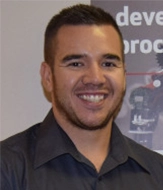
Pierre le Grange is an Elite Applications Engineer and Senior Engineering Consultant at MECAD Technologies, helping Southern-African teams for 9 years to streamline design data and build robust SOLIDWORKS PDM environments.
Share this post: