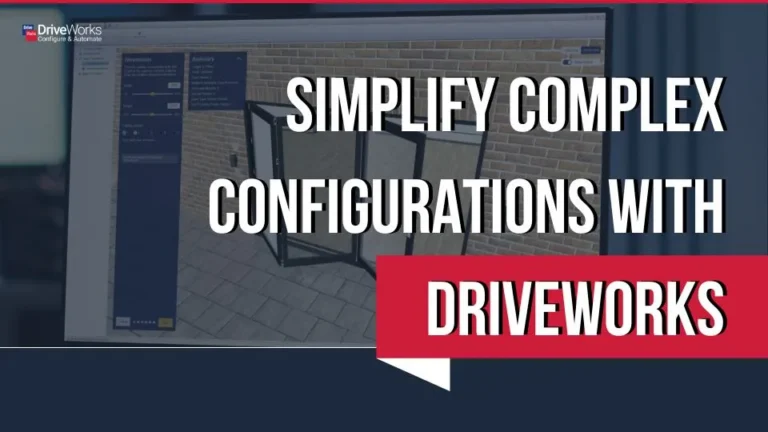
DriveWorks Solo automatically generates parts, assemblies, and drawings using predefined engineering rules.
Ideal for configurable or “same but different” products where frequent changes slow engineering teams down.
Rules-based automation reduces manual edits and supports consistent, compliant design outputs.
DriveWorks Solo offers greater control and scalability than basic automation tools.
A 30-day free trial allows manufacturers to test automation on real projects before full implementation.

MECAD Systems
Manufacturers producing configurable or engineer-to-order products deal with constant variation. A dimensional change. A different material. An optional feature requested by a client. On their own, these adjustments are manageable. Across dozens or hundreds of projects, they consume engineering time and introduce risk.
DriveWorks Solo provides a structured way to automate repetitive SOLIDWORKS design tasks while keeping engineers in control of the logic that drives product variation.
Instead of manually editing models for every new order, engineers define rules once and reuse them consistently. The result is faster output, improved accuracy, and a more scalable engineering workflow.
DriveWorks Solo is a SOLIDWORKS design automation solution that operates directly inside the SOLIDWORKS task pane.
It enables engineers to configure products and automatically generate order-specific:
Using rules-based automation, DriveWorks captures engineering intent for variables such as dimensions, materials, feature options, and constraints. Once defined, these rules drive model updates and documentation output automatically.
DriveWorks has been automating SOLIDWORKS 3D CAD since 2001 and is a SOLIDWORKS Certified Gold Product, ensuring seamless integration into existing SOLIDWORKS environments.
For manufacturers producing variant-driven products, this shifts the focus from repetitive editing to structured automation.
Manufacturers typically implement DriveWorks Solo for three core operational benefits.
When configuration rules are embedded into SOLIDWORKS, repetitive modelling and drawing updates are generated automatically. Tasks that previously required careful manual edits are completed in minutes.
This shortens design cycles and improves responsiveness to customer enquiries, without compromising control.


Manual revision processes increase the risk of oversight, especially when multiple features must update together. DriveWorks Solo applies predefined logic consistently across every configuration.
By reducing manual intervention, the likelihood of human error decreases and downstream production issues are minimised.
Internal standards, compliance requirements, and design constraints can be embedded directly into configuration logic. Every generated variation therefore aligns with those rules automatically.
This improves consistency across engineering teams and supports quality assurance processes.

DriveWorksXpress, included with SOLIDWORKS licenses, provides a useful starting point for simple design automation.
However, as product options become more complex and rule management expands, organisations often require greater control and scalability. DriveWorks Solo offers a more robust framework for managing configuration logic at scale while remaining fully embedded in SOLIDWORKS.
For manufacturers formalising their configuration strategy or expanding automation beyond basic use cases, Solo provides the flexibility required to grow.
The real shift after implementing DriveWorks Solo is not simply speed – it is structure.
Engineering knowledge becomes embedded in configuration rules rather than residing in spreadsheets, archived drawings, or individual experience. Instead of repeatedly modifying geometry, engineers define how geometry should respond to input parameters.
Over time, this creates predictable outputs, smoother collaboration with production teams, and reduced dependency on key individuals for recurring variations. Growth becomes more controlled and less reliant on increasing engineering headcount.
For manufacturers evaluating design automation, committing to new workflows can feel like a significant step.
DriveWorks offers a 30-day free trial of DriveWorks Solo, allowing engineering teams to test automation on real SOLIDWORKS projects before making a long-term decision. This provides a practical opportunity to assess how rules-based automation fits within your existing processes and product structure.
Testing automation in a live environment often clarifies where the greatest efficiencies can be achieved.
DriveWorks Solo is particularly effective for manufacturers who:
It provides a structured and manageable step into design automation while maintaining full control within the SOLIDWORKS environment.
This blog was adapted from an original article published by DriveWorks and has been updated for MECAD Systems.
If you would like to see how DriveWorks design automation can help streamline your SOLIDWORKS workflows and reduce repetitive engineering tasks, speak to a MECAD Systems consultant.
Request a demo or a quote tailored to your manufacturing requirements.
Share this post: