
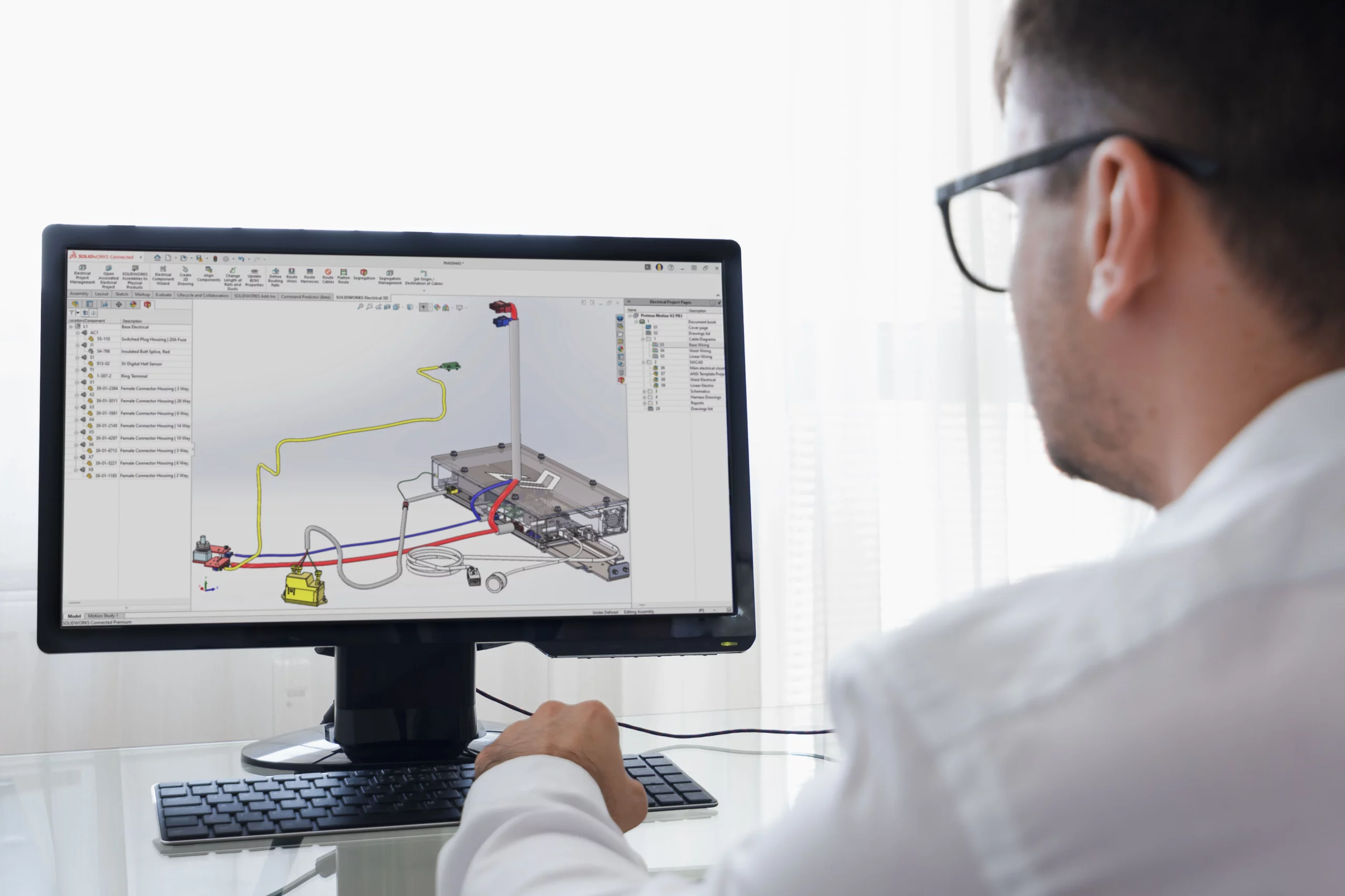
SOLIDWORKS 2026 improves electrical, routing, and ECAD-MCAD workflows so teams can coordinate design information more clearly and with less manual effort.
Updates to project management, terminal strip layout, cable handling, and content access help electrical design work move more smoothly.
SOLIDWORKS 2026 adds more flexibility for routing paths, splice placement, and BOM handling, making routed systems easier to manage.
CircuitWorks improvements help teams track parent-child relationships and review overwritten data more clearly during ECAD-MCAD exchange.
Platform-connected library handling and project update tools help teams keep content more organised and more consistent.
These improvements reduce coordination issues, improve documentation quality, and help multidisciplinary teams work more efficiently.

MECAD Systems
Mechanical design rarely happens in isolation anymore. Many products now depend on electrical systems, cable routes, connectors, harnesses, and coordinated data exchange between ECAD and MCAD environments. That means even a strong mechanical model can still create problems if the electrical information is difficult to manage, the routing path is unclear, or the electrical and mechanical teams are not working from aligned data.
That is why the SOLIDWORKS 2026 updates in Electrical, Routing, and ECAD-MCAD collaboration matter. This part of the release focuses on making multidisciplinary workflows more manageable. The updates improve cable and connector handling, make routing more flexible, strengthen project and library control, and refine how ECAD-MCAD data is exchanged and reviewed. In practical terms, that means fewer disconnects between teams and a smoother path from design intent to documented product definition.
For experienced users, that means better control over complex systems. For newer users, it means the workflow becomes easier to understand because the software handles more of the structure and coordination more clearly.
As products become more connected and more complex, the gap between electrical and mechanical work becomes harder to ignore. A routing issue, an outdated connector definition, or poor data exchange between ECAD and MCAD can cause delays that have nothing to do with the quality of the core design. In many cases, the real challenge is not creating the design itself. It is keeping every part of the design aligned.
That is exactly why these SOLIDWORKS 2026 updates are important. They improve the workflow around electrical project organisation, content handling, routed system control, and ECAD-MCAD communication. Instead of treating these as separate technical problems, SOLIDWORKS 2026 improves how the different parts of the workflow connect.
That is valuable for any team working on machinery, equipment, control systems, consumer products, or any design where physical routing and electrical logic need to stay aligned throughout development.
SOLIDWORKS 2026 introduces several useful improvements to SOLIDWORKS Electrical that make project work easier to manage.
One of the most practical changes is improved project management productivity. When electrical projects become larger, even small tasks such as updating information, managing repeated project elements, and maintaining structured content can start to slow the team down. Updates that improve the day-to-day handling of project data help reduce that friction.
SOLIDWORKS 2026 also improves terminal strip handling by allowing users to work with multiple terminal strips side by side more effectively. That is useful in electrical design work where terminal management needs to stay organised and easy to review, especially as projects become more detailed.
These kinds of changes matter because they make the software easier to work with in real conditions. The value is not in a dramatic new interface alone. The value is in making repeated electrical design tasks cleaner and more manageable.
Another important theme in SOLIDWORKS 2026 Electrical is improved cable and connector control.
The release strengthens advanced cable filtering and management, which helps users work with large amounts of cable-related data more efficiently. That is especially useful when projects contain many cable definitions, harness elements, or connected components that need to be reviewed or updated accurately.
There are also improvements around dynamic connector updates, which help users keep connector-related information better aligned during design changes. When connectors are handled more cleanly, the broader electrical design becomes easier to trust and easier to maintain.
This matters because cable and connector management often become difficult as projects scale. The more connected the design becomes, the more valuable it is to have clearer ways of filtering, updating, and reviewing electrical content.
SOLIDWORKS 2026 also improves how users manage electrical content and libraries. Users can now work more effectively with project updates, Excel-based data import, platform-connected library loading and reloading, and saving local libraries to the 3DEXPERIENCE platform.
These updates are important because design quality is affected by content quality. If users are relying on outdated libraries, inconsistent project data, or manual re-entry of information, mistakes become more likely. Better content control makes the workflow more repeatable and reduces the risk of avoidable inconsistency.
The inclusion of TraceParts Publisher in the content workflow also helps broaden access to useful electrical design content. That can support better standardisation and reduce the time spent building or managing content manually.
Taken together, these improvements help electrical teams work in a more organised environment where project information, libraries, and shared content are easier to manage across the full design process.
SOLIDWORKS 2026 also brings meaningful updates to Routing, and these are especially useful for teams working with pipe, tube, cable, and harness-based systems.
One of the most practical improvements is more flexible routing path definition using clips, mounts, or hangers. That matters because routed systems are often influenced by physical support conditions, not just ideal geometric paths. Being able to build routing logic around those kinds of real placement points helps the model reflect how the system is actually intended to be installed.
There are also improvements around splice placement guidance, which can help make harness and wiring workflows easier to control. Routing is not only about drawing a path. It is about building a route that makes sense in manufacturing, installation, and maintenance contexts as well.
These updates strengthen the routing environment by making it easier to define systems in a way that is more practical and more closely tied to real product conditions.
Another useful routing improvement in SOLIDWORKS 2026 is routing BOM consolidation.
That matters because routed systems often generate documentation challenges. A design may be correct in 3D, but if the bill of materials is fragmented, unclear, or harder to interpret downstream, the workflow still suffers. BOM consolidation helps bring more clarity to how routed content is represented and communicated.
That is valuable not only for design teams, but also for manufacturing, documentation, and procurement-related workflows. When routed BOM information is easier to manage and easier to read, it reduces confusion and helps downstream teams work with more confidence.
This is another example of how SOLIDWORKS 2026 improves not just geometry creation, but the broader engineering workflow around it.
For many businesses, one of the most important parts of multidisciplinary design is not only the electrical or routing model itself. It is the exchange of information between ECAD and MCAD systems.
SOLIDWORKS 2026 improves this area through updates in CircuitWorks and related ECAD-MCAD workflows. As products become more integrated, teams need a clearer way to review what changed, understand how data relates across systems, and maintain confidence that the mechanical and electrical sides of the design are still aligned.
That is why even smaller data exchange improvements matter. They help reduce the risk of miscommunication between teams and make design reviews more reliable.
Two of the more important ECAD-MCAD updates in SOLIDWORKS 2026 are better support for parent-child relationship tracking and clearer review when IDX 3.0 overwritten data is involved.
These changes matter because data exchange is rarely as simple as importing once and moving on. Engineering teams often need to review changed information carefully, especially when one system has overwritten or updated information that already existed in another part of the workflow. Better visibility into what changed and how components relate to one another helps make that review process more reliable.
Parent-child relationship tracking is especially useful because product structure can quickly become difficult to follow when data moves between environments. When those relationships are clearer, teams can review change impact more confidently and make better decisions during coordination.
For electrical design users, the value of SOLIDWORKS 2026 lies in better organisation, cleaner cable and connector management, stronger content handling, and easier project control.
For routed system designers, the value is more physical realism and better downstream clarity. Routing paths can reflect more practical support conditions, splice handling becomes easier to manage, and BOM information becomes easier to communicate.
For teams working across ECAD and MCAD, the biggest value is confidence. When data exchange is easier to review and relationships are clearer, coordination becomes less error-prone and less dependent on manual checking alone.
For managers and technical leads, the broader value is improved multidisciplinary control. These updates help reduce handoff problems, improve documentation quality, and support better teamwork across different specialisations.
One of the strongest things about this part of the release is that it targets familiar workflow pain points. Electrical projects need better structure. Content libraries need cleaner handling. Routing paths need to reflect real installation logic. BOMs need to be clearer. ECAD-MCAD exchange needs better visibility.
That is exactly where SOLIDWORKS 2026 focuses its improvements. Instead of treating electrical, routing, and ECAD-MCAD work as isolated tools, the release strengthens the connections between them.
That makes the workflow more practical. Teams can spend less time correcting avoidable coordination issues and more time progressing the design with confidence.
SOLIDWORKS 2026 brings meaningful improvements to electrical design, routed systems, and ECAD-MCAD coordination. Better project management, stronger cable and connector handling, cleaner library control, more flexible routing logic, clearer BOM handling, and more transparent data exchange all contribute to a smoother multidisciplinary workflow.
The value of these updates lies in better coordination. When electrical and mechanical information stay aligned more easily, the entire engineering process becomes more reliable. That makes SOLIDWORKS 2026 a stronger release for teams designing products that depend on both physical and electrical system definition.
If your team works with electrical schematics, routed systems, harnesses, or ECAD-MCAD exchange, these SOLIDWORKS 2026 improvements are well worth exploring.
Explore how SOLIDWORKS Electrical can help your team manage schematics, routed systems, and ECAD-MCAD collaboration more clearly. Visit our SOLIDWORKS Electrical page or get in touch with MECAD to discuss the right solution for your workflow.
Share this post:




