
 Trusted by millions of engineers and designers worldwide
SOLIDWORKS xDesign
SOLIDWORKS xDesign, previously called SOLIDWORKS Cloud Offer, is a browser-based 3D design and product development solution that runs on the cloud-based 3DEXPERIENCE platform. Create 3D models, manage product data, and collaborate in real time, with no installation or IT setup.
Request a SOLIDWORKS xDesign quote
What is SOLIDWORKS xDesign?
SOLIDWORKS xDesign is a next-generation set of 3D design tools, developed by the same team behind [SOLIDWORKS Design]. It combines design tools with built-in data management and collaboration, so you and your stakeholders can work together from anywhere, on any device, using a web browser.
SOLIDWORKS xDesign is not the desktop version of SOLIDWORKS. It’s built for engineers and designers who are starting new projects and working across multiple devices. You can take a product from early concept to production, including 2D drawings, 3D annotations, and product documentation.
Key capabilities include:
- Parametric and freeform 3D modelling
- Sheet metal, structure, and mould design
- 2D drawings and model-based definition (MBD)
- Photorealistic product rendering
- Cloud data management and collaboration
Benefits of SOLIDWORKS xDesign
SOLIDWORKS xDesign helps teams cut IT costs, bring more people into the design process, and keep product data safe.
Flexible access across multiple devices
SOLIDWORKS xDesign runs on Mac, PC, mobile devices, and Chromebooks. Licences are assigned to named users, and software updates happen automatically.
Key points:
- One named-user licence across multiple devices
- Always on the latest version, with no manual updates
- Say goodbye to costly IT overhead
Key points:
- One named-user licence across multiple devices
- Always on the latest version, with no manual updates
- Say goodbye to costly IT overhead
Real-time collaboration
Bring departments, disciplines, customers, partners, and suppliers into the design process. Everyone works on one platform, with a consistent experience across every tool.
Key points:
- Work with stakeholders in real time
- Design, validate, and manage products in one place
- Add new tools that work together as your needs grow
Key points:
- Work with stakeholders in real time
- Design, validate, and manage products in one place
- Add new tools that work together as your needs grow
Secure data you can rely on
Your data is stored securely on the 3DEXPERIENCE platform. Everyone works with the latest version of the design, which removes the risk of overwriting data.
Key points:
- 99.5% uptime SLA for guaranteed service availability
- Daily backups, kept for 7 days and then securely deleted
- ISO 9001:2015 certified and OWASP Top 10 compliant
Key points:
- 99.5% uptime SLA for guaranteed service availability
- Daily backups, kept for 7 days and then securely deleted
- ISO 9001:2015 certified and OWASP Top 10 compliant
SOLIDWORKS Design Capabilities
SOLIDWORKS xDesign includes tools for 3D modelling, specialised design, documentation, and data management. Here’s what each area covers.
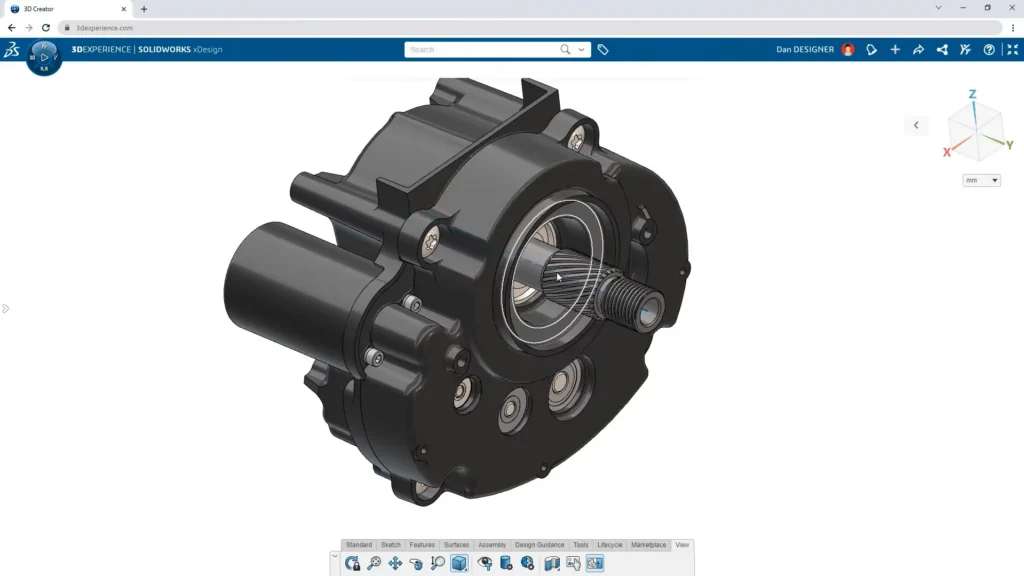
Parametric and freeform 3D modelling
Build anything from rough concepts to detailed parts and assemblies of any complexity. Push and pull surfaces to create complex, organic shapes, then convert them to geometry when you’re done. The structure of your parts and assemblies can be changed at any point, so you don’t have to plan it up front.
Key points:
- Design Assistant, the artificial intelligence engine on the 3DEXPERIENCE platform, automates tasks from sketching to feature selection
- Design Guidance shows structural requirements from defined loads and constraints before you create geometry
- Change design intent without the rework of traditional parametric modelling
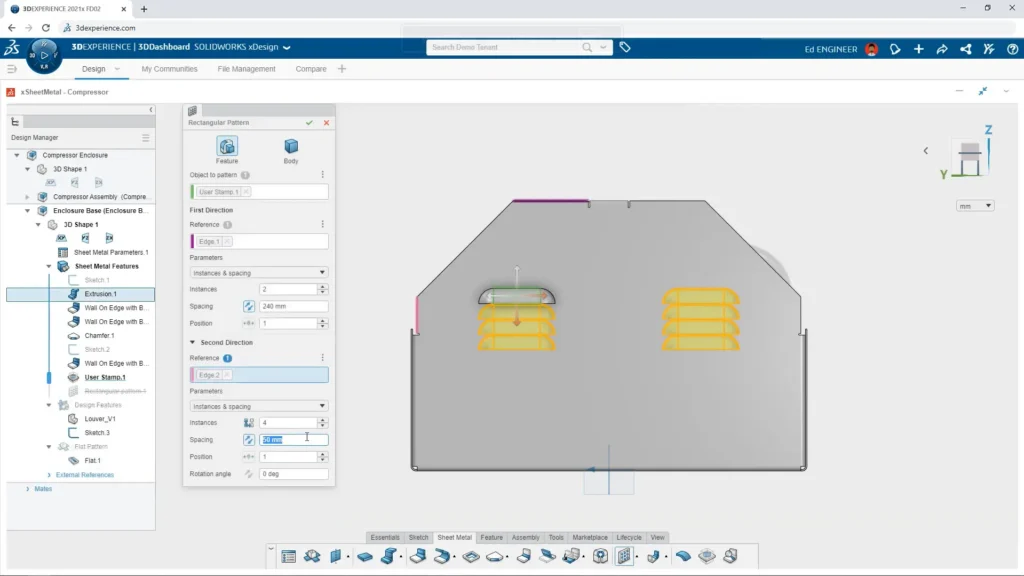
Sheet metal, structure, and mould design
Specialised tools help you build complex models for a broad range of industries, including sheet metal, cast parts, weldments, and surfacing. Designs are production-ready, so you can move straight from the model to fabrication.
Key points:
Sheet metal components with automatically generated flat patterns
Fully detailed frames with accurate cut lists, ready for fabrication
Concise, simplified workflows for creating mould geometry
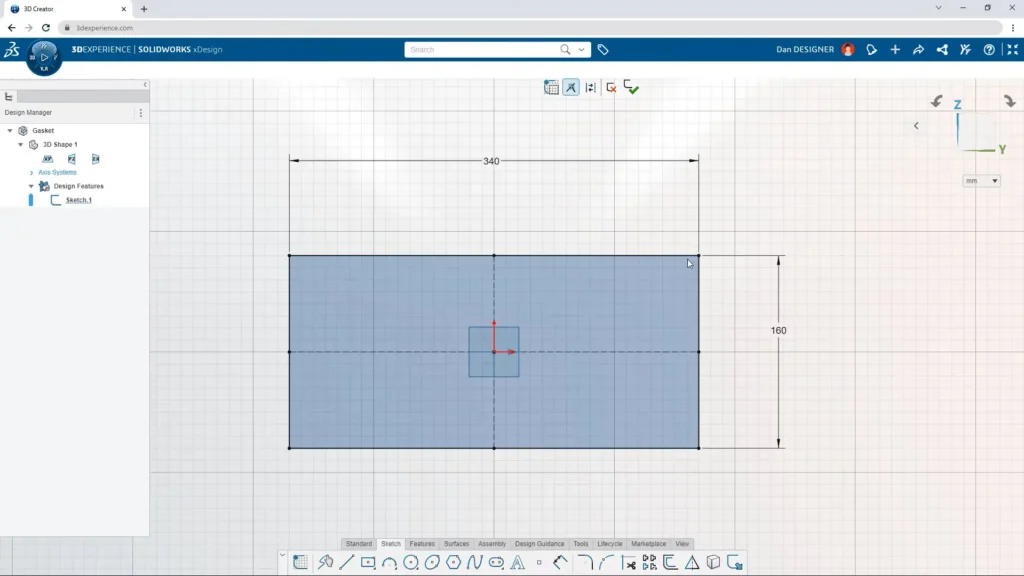
2D drawings, MBD, and rendering
Turn your 3D models into drawings for production and visuals that help win customers. Add product manufacturing information directly to your models and share it with suppliers, to avoid costly differences between models and physical parts.
Key points:
Quickly generate 2D drawings of parts and assemblies from your 3D models
Reduce risk when moving from design to production
Create photorealistic renders and 360-degree turntable animations straight from the design
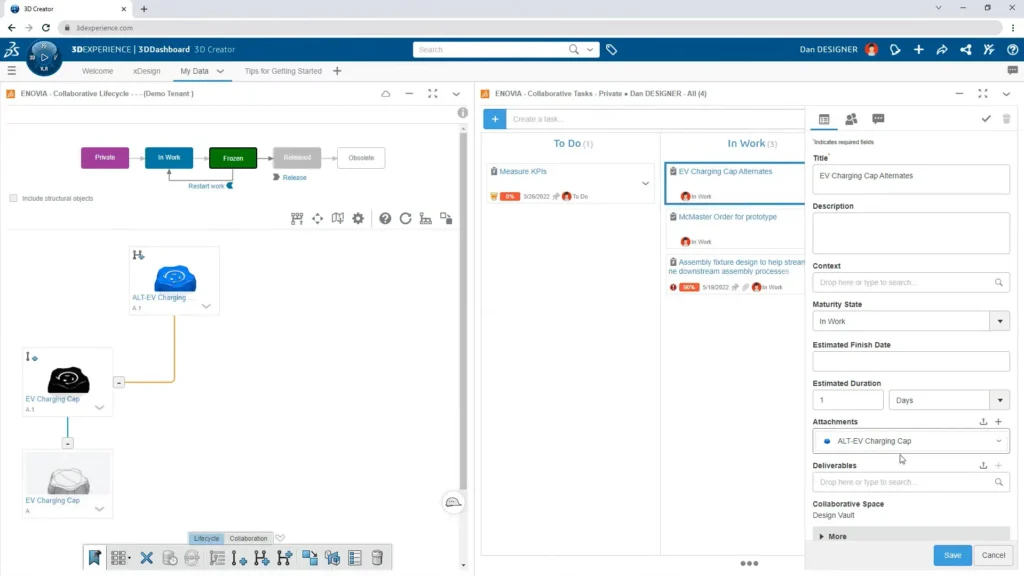
Data management and collaboration
Manage the lifecycle of your CAD data and documentation across disciplines and CAD applications. Built-in revision control tracks issues, changes, and routes, and reduces conflicting edits when several people work on the same design.
Key points:
Share a link to get feedback, and create digital markups directly from design data
Control who can access data, with instant notifications for live design updates
Keep teams on track with wikis, virtual whiteboards, communities, and conversations
SOLIDWORKS xDesign Product Matrix
Request a SOLIDWORKS Design Quote
If you are looking at SOLIDWORKS xDesign for browser-based 3D design, MECAD Systems can help you get the right licences for your team.
- Explore SOLIDWORKS xDesign capabilities
- Discuss licensing options and deployment strategies
- Receive guidance from SOLIDWORKS specialists
Frequently Asked Questions about SOLIDWORKS xDesign
Can I open and edit native SOLIDWORKS files in SOLIDWORKS xDesign?
If you need to open and edit native SOLIDWORKS files (.SLDPRT and .SLDASM), you may be looking for SOLIDWORKS Design or SOLIDWORKS Design with Cloud Services instead.
What is cloud-based CAD?
Cloud-based CAD is CAD software that runs on a cloud platform. Instead of being installed on a local computer, it can be used on any device with an internet connection. It offers many of the same capabilities as traditional CAD, plus real-time multi-user collaboration, robust version control, and reduced hardware costs, because all computation happens on the cloud server.
How does the 3DSwymer role help teams collaborate?
With the 3DSwymer role on the 3DEXPERIENCE platform, you can store CAD files, share data, track progress, and monitor KPIs using personalised dashboards. As you grow, you can involve more team members and build an online community of users and contributors. You can also suggest ideas and follow them through idea funnels.
How does rendering work in SOLIDWORKS xDesign?
SOLIDWORKS xDesign includes the 3D Render role (xStudio) for photorealistic renderings. Each rendering job uses rendering credits. The number of credits depends on image size, resolution, and complexity, and usually ranges from a few credits to 8 per rendering. The credits needed are shown and updated in real time on the rendering job queue. The offer includes 135 credits, and you can buy more if your project needs them.
What happens to my data if I cancel my subscription?
When your subscription ends, your data stays secure on the servers for two weeks.
Why Buy SOLIDWORKS xDesign From MECAD Systems?
Find the Right SOLIDWORKS
Option for Your Team
Option for Your Team
Not sure whether browser-based SOLIDWORKS xDesign or desktop SOLIDWORKS Design is the better fit? Speak with our team about the option that suits the way you work.
Buy SOLIDWORKS xDesign from
an Authorised Partner
an Authorised Partner
MECAD Systems is an authorised Dassault Systèmes partner in South Africa. Get your SOLIDWORKS xDesign licences through a local team.
Explore the Full SOLIDWORKS Range
From desktop CAD to simulation and electrical design, MECAD Systems offers a wide range of SOLIDWORKS solutions for engineering teams.
Get Started With SOLIDWORKS xDesign
Ready to design in your browser? Speak to MECAD Systems about SOLIDWORKS xDesign licences for your team.